
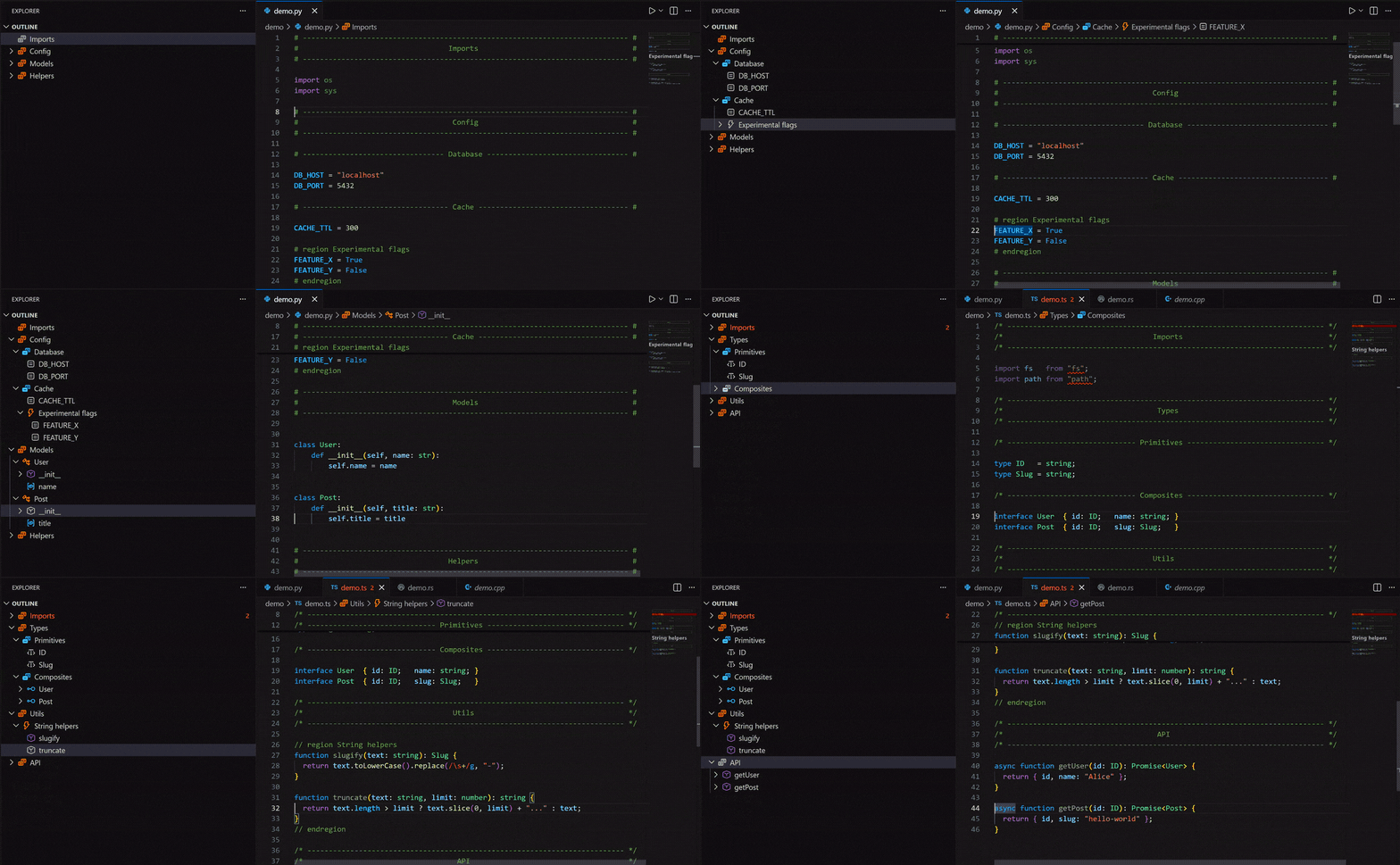





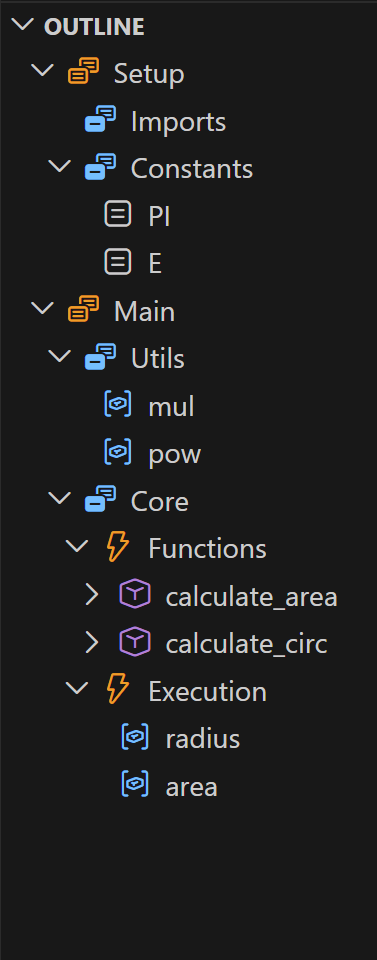
Comment regions support for the built-in Outline view of VS Code and VS Code-based editors using Open VSX (Cursor, Windsurf, VSCodium, ...). In addition to existing elements (class, method, etc.), this extension auto-inserts comment sections (navigable and collapsible) to the Outline, in any language. They also work with breadcrumbs and Expand/Shrink Selection (Shift+Alt+→/←). Supports 3 types:
Banners (3-line comment blocks)
# ------------------------------- #
#         Python Example          #
# ------------------------------- #
my_var = 0
Or any 4+ repeating symbol from
=*#~_.+<>/%;Dividers (1-line dashed comment)
# ------- Python Example -------- #
my_var = 0
Or any 4+ repeating symbol from
=*#~_.+<>/%;Region Blocks (official folding region)
# region Python Example
my_var = 0
# endregion
Regions closed by an end marker contain everything up to it (also nested regions); unclosed ones end at the next section
Tip
This extension is compatible with Comment Divider (strongly recommended)
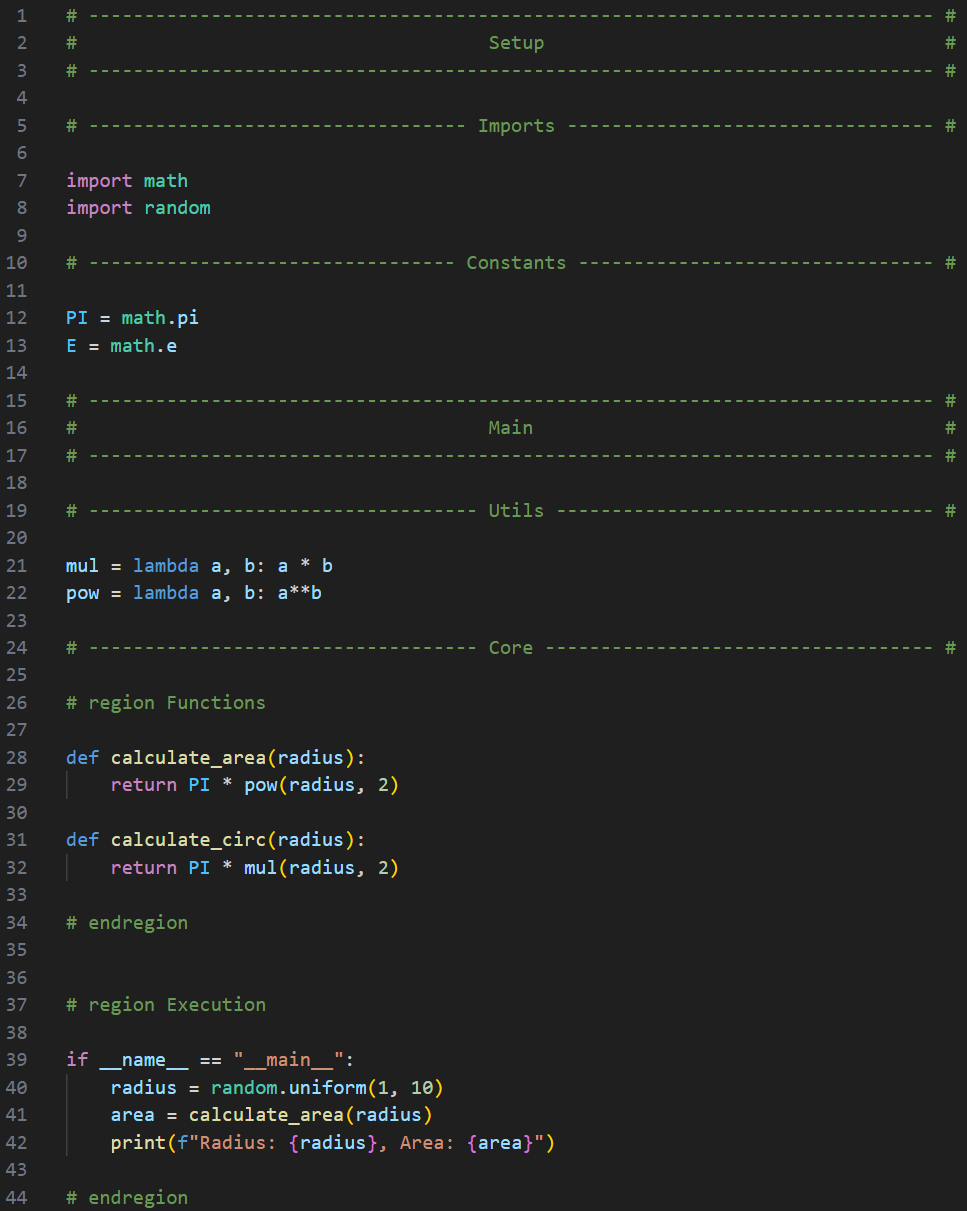
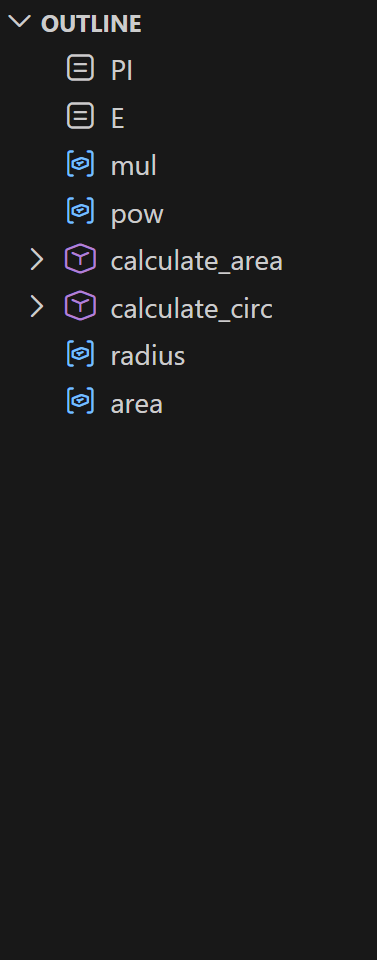
| Example | Original | With Sections |
|---|---|---|
 |
 |
 |
| Supported Languages | Supported Analyser | VS Code | Open VSX¹ |
|---|---|---|---|
  |
typescript-language-features (built-in) | ✅ | ✅ |
 |
vscode-pylance, basedpyright, pyright | ✅ | ✅ |
  |
cpptools, clangd | ✅ | ✅ |
 |
rust-analyzer | ✅ | ✅ |
 |
java | ✅ | ✅ |
 |
go | ✅ | ✅ |
- For the analysers above, their symbols are merged with comment sections within the same outline.
- If the analyser isn't installed (or different languages), a separate Comment Sections outline shows up
- ¹Cursor, Windsurf, VSCodium and other VS Code-based editors that install extensions from Open VSX
Open VSCode settings (Ctrl+, or Cmd+, for MacOS) and enter "outline sections".
To add custom region or divider syntax on top of the built-in one, specify the regex. Example matching note: Name (region start), endnote (region end, optional) and - - - - (divider rule), plus a Lua-only region start:
{
    "outlineSections.regionStartRegex": "note:\\s*(.+)",
    "outlineSections.regionEndRegex": "endnote",
    "outlineSections.dividerRegex": "(?:- ){3,}-",
    "[lua]": { "outlineSections.regionStartRegex": "section:\\s*(.+)" }
}| Setting | Pattern | Example | Match |
|---|---|---|---|
regionStartRegex |
note:\s*(.+) |
Python | # note: Helpers |
regionStartRegex |
section:\s*(.+) |
Rust | // section: Helpers |
regionStartRegex |
>{3,}\s*(.+) |
Java | /* >>> Helpers */ |
regionEndRegex |
<{6,} |
C | /* <<<<<<<<<< */ |
dividerRegex |
(?:- ){3,}- |
Python | # - - - - Helpers - - - - |
dividerRegex |
-{3,} |
Go | // --- Helpers --- |
Notes
- No need to specify
^,\s*, or comment markers (#,//, etc.) - they are automatically considered. - All patterns are additive: built-in regions and rules still work.
- A divider pattern describes only the rule; the title is whatever sits between the rules.
- The first capture group that matches a region start becomes the region name (or, without groups, the rest of the line).
- Regions with an end marker contain everything up to it; without one (e.g. no end pattern) they auto-close at the next region/header/subheader or end of file.
- Every pattern setting can be language-specific, e.g.
"[lua]": { ... }.
Pick a profile: none (plain comments), subtle (coloured titles), classic (coloured section lines, default), focus (classic plus a tint over the section the cursor is in) or custom (only your CSS). Your CSS rules are added on top, using classes for parts (.label, .rule, .delimiter, .keyword, .scope) and kinds (.header, .subheader, .region, .endregion). --color sets a kind's colour (var(--color)), and all: unset clears a style:
{
    "outlineSections.highlight.profile": "classic",
    "outlineSections.highlight.css": [
        ".header { --color: #A7D685 }",
        ".label { color: var(--color); font-weight: bold }",
        ".delimiter { all: unset }",
        ".endregion .keyword { color: #c586c0 }",
        ".scope { background-color: rgba(128, 128, 128, 0.08) }"
    ]
}
Minimap
[!TIP] VS Code can label sections in the minimap too: turn on
editor.minimap.showRegionSectionHeadersfor regions, andeditor.minimap.showMarkSectionHeaderswith a customeditor.minimap.markSectionHeaderRegex(itslabelgroup becomes the header) for other comment styles.
Install the latest version of Node.js LTS and the dependent packages (note all packages install locally into node_modules/ so no virtual environment is needed):
make setupWindows: install Node.js LTS from nodejs.org manually, then use
make install(requires Git Bash or WSL).
npm run test                          # run tests + generate coverage report
npm run package                       # compile → out/ and build .vsix (what gets published)
npx semantic-release --dry-run        # preview next release version and notes
Tip
You can run make clean to clean up compiled/generated files.
Open extension.ts and press F5 (fn + F5 if on Mac) to launch VS Code Extension Development Window with the extension loaded.
How it works?
The extension uses VS Code API to parse the document and create section markers as document symbols based on comments. It then "injects" those symbols into the LSP communicator's parse commands provided by the analyser extension (which depends on language). It's a bit of a simplification but that's the rough idea.