


Key Features | Getting Started | Installation | Documentation
PtyLab is an inverse modeling toolbox for Conventional (CPM) and Fourier (FPM) ptychography in a unified framework. See the paper for details.
- Classic engines: ePIE, mPIE, mqNewton, qNewton
- Advanced corrections: position correction, defocus correction (zPIE), angle correction (aPIE), orthogonal probe relaxation (OPR)
- Multi-modal: multi-slice, multi-wavelength, mixed-state object and probe
- Multiple propagators: Fraunhofer, Fresnel, Angular Spectrum (ASP), scaled ASP, polychromatic variants
- GPU acceleration: same code runs on CPU and GPU (NumPy/CuPy)
- Live monitor: follow the object, probe, error metric and any corrected parameters (scan positions, sample-detector distance, wavelength, angle) as the iterations run
PtyLab.py is built around a 6D array (nlambda, nosm, npsm, nslice, N, N), i.e. wavelengths, object and probe state mixtures, depth slices, then the frame.
As shown below, the data flow to a reconstruction involves five core classes: ExperimentalData, Reconstruction, Params, Engine and Monitor.
flowchart LR
    file[(HDF5 data)] --> exp[ExperimentalData]
    exp --> recon["Reconstruction<br/>(object, probe)"]
    exp & recon & params[Params] --> engine["Engine<br/>(ePIE, mPIE, ...)"]
    engine -.->|updates| recon
    engine <-->|each iteration| corr["Optional Corrections: positions, distance, angle"]
    engine -.-> mon[Monitor<br/>live plots]
    corr -.-> mon
    engine -->|reconstruct| out["Saved to HDF5<br/>object, probe, error, corrected parameters"]
Try the demo in Google Colab:

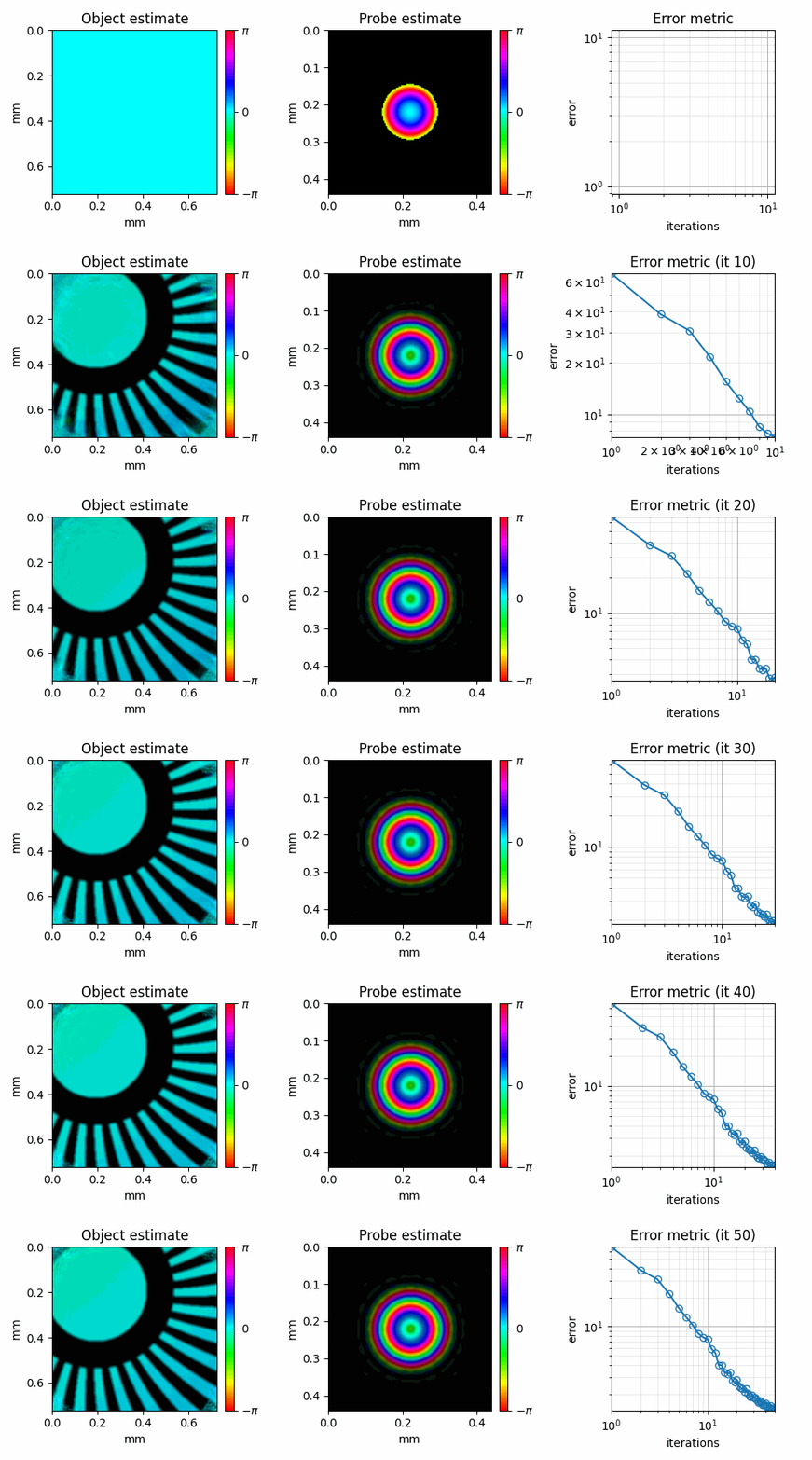
To explore more features, we have extensive tutorials in our documentation.
Install from PyPI within your virtual environment:
pip install -U ptylabFor faster installs, we recommend uv: uv pip install -U ptylab
For GPU support:
uv pip install -U "ptylab[gpu]" # supports CuPy with CUDA 12Check whether GPU is correctly configured with uv run ptylab check gpu. For additional information on other extras such as gui, see the installation guide.
Contributions are welcome! See the contributing guide for the development setup, tests and how to open a pull request.
If you use this package, please cite:
@article{Loetgering:23,
        author = {Lars Loetgering and Mengqi Du and Dirk Boonzajer Flaes and Tomas Aidukas and Felix Wechsler and Daniel S. Penagos Molina and Max Rose and Antonios Pelekanidis and Wilhelm Eschen and J\"{u}rgen Hess and Thomas Wilhein and Rainer Heintzmann and Jan Rothhardt and Stefan Witte},
        journal = {Opt. Express},
        number = {9},
        pages = {13763--13797},
        publisher = {Optica Publishing Group},
        title = {PtyLab.m/py/jl: a cross-platform, open-source inverse modeling toolbox for conventional and Fourier ptychography},
        volume = {31},
        month = {Apr},
        year = {2023},
        doi = {10.1364/OE.485370},
}